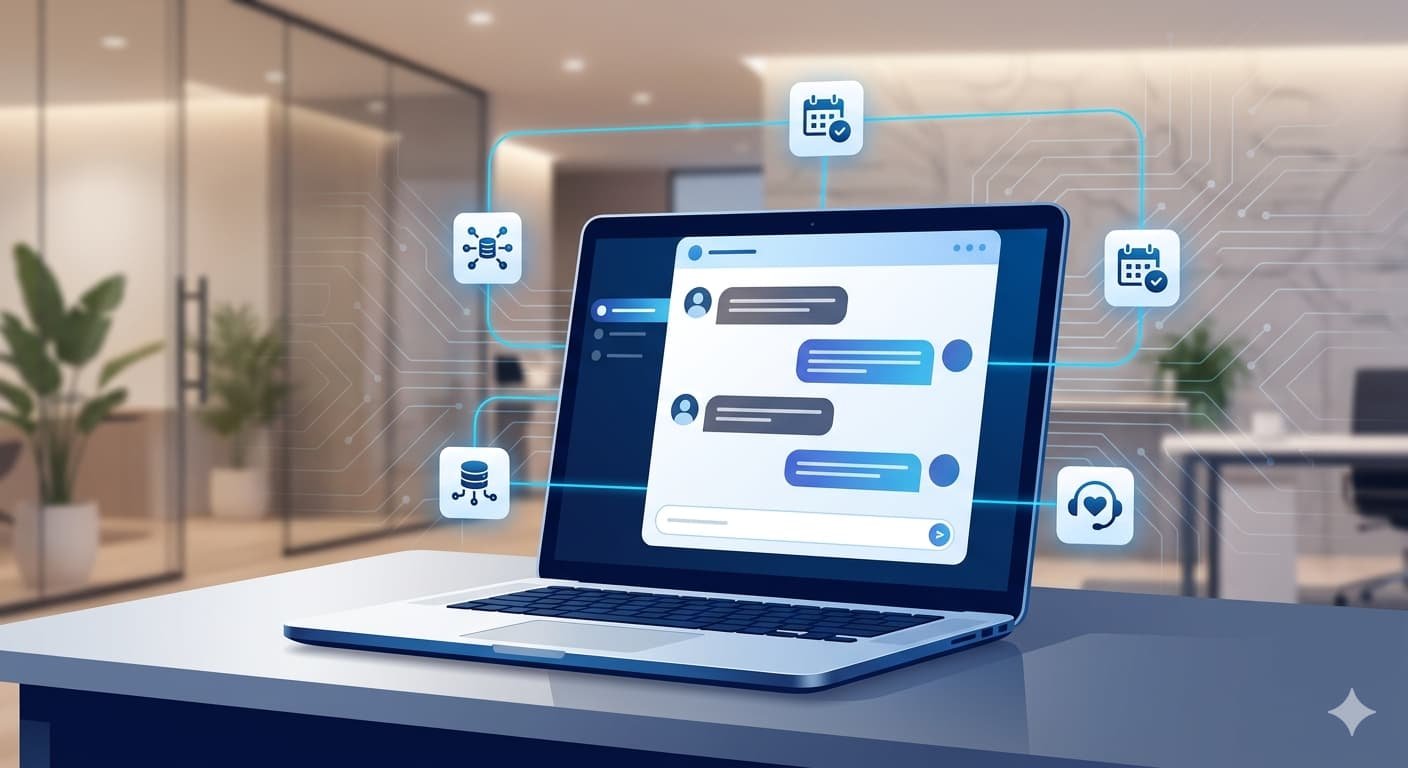
Build AI chatbot for business 2026 — that’s exactly what this guide is designed to help you do, and you’re already thinking ahead of most of your competitors by being here. Customer expectations have shifted dramatically — people want instant answers, 24/7 availability, and conversations that actually feel helpful rather than frustrating. If you’re also evaluating broader digital strategies, our breakdown of AI marketing vs traditional marketing ROI is worth reading alongside this guide. A well-built chatbot delivers all three, without adding headcount or burning out your support team. That’s exactly why custom AI chatbot development USA has seen such rapid growth over the last two years.
But here’s the thing: not all chatbots are created equal. The difference between a chatbot that converts visitors into clients and one that gets immediately closed comes down entirely to how it’s built, trained, and integrated. This guide walks you through the entire process — from planning to deployment — so you know exactly what’s involved and where expert help makes the biggest difference.
What Does It Mean to Build AI Chatbot for Business 2026?
When you build AI chatbot for business 2026, the goal is nothing like the generic chat widget you’ve seen on most corporate sites that responds with “I didn’t understand that.” Modern AI chatbots are powered by large language models (LLMs), trained on your specific business data, and capable of handling nuanced conversations across sales, support, onboarding, and lead generation.
The difference matters because when you build AI chatbot for business 2026, you move far beyond rigid scripts. A custom AI chatbot understands context, adapts its tone, and knows your products, policies, and services the way a trained employee would.
“According to Capslock Agency’s project data, businesses that deploy custom AI chatbots trained on their own data see a 40–60% reduction in repetitive support queries within the first 90 days of launch.”
That’s not a small efficiency gain — that’s hours of saved time every single day.
Step 1: Define What Your Chatbot Needs to Do
Before writing a single line of code, the most important step is clarity. A vague brief leads to a chatbot that tries to do everything and does nothing well.
Before you build AI chatbot for business 2026, start by answering these three questions:
- What problem is this chatbot solving? (Support overload, lead qualification, after-hours inquiries, product recommendations?)
- Who will it talk to? (Existing customers, first-time visitors, enterprise buyers, general consumers?)
- What does a successful interaction look like? (A booked call, a resolved ticket, a product page visit?)
The Capslock team always begins every AI chatbot project with a discovery session focused on these exact questions. You’d be surprised how often a client comes in asking for a “support bot” and leaves realizing they actually need a lead qualification assistant.
Use Cases Worth Building For in 2026
| Use Case | Business Benefit | Best For |
|---|---|---|
| Customer Support Automation | Reduces ticket volume by 40–60% | SaaS, E-commerce, Services |
| Lead Qualification | Captures and scores leads 24/7 | B2B, Real Estate, Agencies |
| Onboarding Assistant | Guides new users through setup | SaaS, HR Platforms |
| Appointment Booking | Eliminates back-and-forth scheduling | Healthcare, Consultants |
| Product Recommendation | Increases average order value | E-commerce, Retail |
| Internal Knowledge Base | Speeds up employee queries | Enterprise, Large Teams |
Pick one primary use case first when you build AI chatbot for business 2026 — you can always expand later once the foundation is solid.
Step 2: Choose the Right AI Model and Architecture
This is where most business owners feel lost — and understandably so. The AI landscape in 2026 includes more options than ever, from OpenAI’s GPT-4o to Anthropic’s Claude, Google’s Gemini, and a growing number of open-source models like LLaMA and Mistral.
Here’s a practical breakdown:
GPT-4o (OpenAI) — Best for conversational depth, complex reasoning, and multilingual use. Ideal for customer-facing chatbots where nuance matters.
Claude (Anthropic) — Excellent for long-context understanding and safety-conscious deployments. A strong choice for legal, healthcare, or financial businesses.
Gemini (Google) — Solid for businesses already in the Google ecosystem and needing multimodal capabilities (text + image input).
Open-source models (LLaMA, Mistral) — Best when you need full data privacy, on-premise deployment, or want to minimize ongoing API costs at scale.
“The Capslock team recommends starting with a hosted API like GPT-4o or Claude for most small-to-medium businesses, then evaluating whether a self-hosted model makes sense once usage volumes justify the infrastructure investment.”
Your choice of model also affects how you build AI chatbot for business 2026 using a Retrieval-Augmented Generation (RAG) setup — which brings us to the next step.
Step 3: Build Your Knowledge Base with RAG
RAG stands for Retrieval-Augmented Generation, and it’s the architecture that transforms a general AI model into a chatbot that actually knows your business. Amazon Web Services describes RAG as one of the most effective methods for grounding AI responses in real, up-to-date business data.
Here’s the simplest way to understand it: instead of the AI answering from general training data, RAG pulls from your documents — your FAQs, product pages, policies, pricing, past support tickets — and uses that context to generate accurate, relevant answers.
What goes into a strong RAG knowledge base:
- Product or service documentation
- Website content and landing pages
- FAQ documents
- Support ticket history (anonymized)
- Internal process guides
- Pricing and policy documents
The quality of your knowledge base directly determines the quality of your results when you build AI chatbot for business 2026. Feed it vague, outdated content and the chatbot will respond vaguely. Feed it precise, well-structured documentation and the results are noticeably sharper.
Here’s a pro tip the Capslock team shares with every client: invest as much time cleaning and organizing your knowledge base as you do on the chatbot interface itself. It’s not glamorous work, but it makes a dramatic difference in output quality.
Step 4: Select a Development Approach
There are three paths to build AI chatbot for business 2026 and get it live on your website, and the right one depends on your budget, technical capacity, and long-term plans.
Option A: No-Code / Low-Code Platforms
Tools like Botpress, Voiceflow, and Tidio AI let non-technical teams build functional chatbots without writing code. OpenAI’s developer platform also provides accessible API documentation for teams ready to move beyond no-code limitations. These are solid for businesses with straightforward use cases and limited budgets.
Best for: Small businesses, simple FAQ bots, quick deployment
Limitations: Less customization, vendor dependency, scaling challenges
Option B: API Integration with a Developer
Connect an LLM API (like OpenAI or Claude) to your existing website or CRM through a custom backend. This approach gives you far more control over conversation flow, data handling, and integration depth.
Best for: Growing businesses with specific workflow requirements
Limitations: Requires development resources, more setup time
Option C: Fully Custom Development
A fully engineered solution built from the ground up — custom model fine-tuning, bespoke RAG pipeline, proprietary interface, and deep integrations with your internal systems.
Best for: Enterprises, regulated industries, high-volume deployments
Limitations: Higher upfront investment, longer timeline
“According to Capslock Agency, most mid-sized businesses achieve the best return on investment through Option B — API-based custom development — because it balances flexibility with realistic build timelines and costs typically ranging between $8,000 and $30,000 depending on complexity.”
Step 5: Design the Conversation Flow
This step is often skipped and deeply regretted later. Even when you build AI chatbot for business 2026 using the best available model, a poorly designed conversation flow will still frustrate users.
Good conversation design means anticipating what users will ask, how they’ll phrase it, and what they actually need at each point in the conversation.
Key principles for chatbot conversation design:
- Start with a clear opener — tell users what the bot can help with immediately
- Keep responses concise — no one reads a chatbot paragraph the size of a news article
- Build in graceful fallbacks — when the bot doesn’t know something, it should say so cleanly and offer a handoff to a human
- Design for intent, not just keywords — modern AI understands context, so train your flows around what users are trying to accomplish, not just what words they use
- Add personality without being annoying — a consistent, professional tone builds trust faster than forced friendliness
Map out your top 10–15 user intents before development starts. This becomes your conversation blueprint and saves significant revision time later.
Step 6: Integrate with Your Existing Tech Stack
A chatbot that exists in isolation from your business systems is a missed opportunity. If your website itself needs strengthening before you layer AI on top of it, our guide on how to build a website that ranks in Google AI Search 2026 is a strong starting point. The real power comes from integration.
Depending on your setup, your AI chatbot for website deployment should connect with:
- CRM systems (HubSpot, Salesforce, Zoho) — to log leads and update contact records automatically
- Helpdesk platforms (Zendesk, Freshdesk, Intercom) — to create and escalate support tickets
- Calendar and booking tools (Calendly, Google Calendar) — for appointment scheduling
- E-commerce platforms (Shopify, WooCommerce) — for order status, returns, and product queries
- Analytics tools (Google Analytics, Mixpanel) — to track conversation outcomes and user behavior
Custom AI chatbot development USA increasingly focuses on these integration layers because they’re what separate a useful tool from a business-transforming one. The chatbot becomes a hub — collecting data, routing it to the right systems, and reducing manual work across departments.
Step 7: Test Thoroughly Before You Go Live
Here’s where teams consistently rush and pay for it afterward. Testing a chatbot is not just asking it a few questions and calling it good.
A proper chatbot testing checklist:
- Test every intended user flow end-to-end
- Try to break it with unexpected inputs, typos, and off-topic questions
- Test edge cases — what happens if a user gives contradictory information?
- Verify all integrations (CRM updates, ticket creation, calendar booking)
- Test across devices — mobile, tablet, and desktop
- Run it by team members who weren’t involved in building it
- Test response speed under simulated load
Get real users to test it before launch. The questions actual users ask will surprise you, and you want that feedback before your customers encounter it.
Step 8: Deploy, Monitor, and Improve
When you build AI chatbot for business 2026, launching is not the finish line — it’s the starting point. The best chatbots improve continuously based on real conversation data.
Once you build AI chatbot for business 2026 and go live, set up monitoring from day one. Track:
- Containment rate — what percentage of conversations the bot resolves without human intervention
- Escalation rate — how often users ask to speak to a human
- Drop-off points — where users abandon the conversation
- Satisfaction signals — thumbs up/down ratings, follow-up purchases, booked appointments
Review conversation logs weekly during the first month. You’ll find gaps in your knowledge base, flows that confuse users, and questions you didn’t anticipate. Each one is an improvement opportunity.
“The Capslock team’s post-launch review process for AI chatbots typically uncovers 15–25 improvement opportunities in the first 30 days alone — most of which require minor content updates rather than code changes.”
How Much Does It Cost to Build a Custom AI Chatbot in 2026?
The cost to build AI chatbot for business 2026 varies significantly based on complexity, integrations, and the development approach you choose.
| Build Type | Typical Cost Range | Timeline |
|---|---|---|
| No-code chatbot (self-managed) | $0–$500/mo (platform fees) | 1–2 weeks |
| API-based custom chatbot | $8,000–$30,000 | 4–10 weeks |
| Enterprise custom development | $30,000–$100,000+ | 3–6 months |
| Monthly maintenance & optimization | $500–$2,500/mo | Ongoing |
The monthly cost of an AI platform API (like OpenAI or Anthropic) for a medium-traffic chatbot typically runs between $200 and $800 per month — and for context on how AI investments compare across service categories, see our detailed post on AI cloud solutions for business in 2026. — a fraction of what a single support hire would cost.
Common Mistakes to Avoid When Building an AI Chatbot
Learning from what goes wrong when you build AI chatbot for business 2026 saves both money and momentum. Here are the mistakes the Capslock team sees most often:
1. Overcomplicating the first version — Start narrow, launch fast, expand based on data.
2. Skipping the knowledge base work — You cannot shortcut this. The AI is only as good as what you feed it.
3. Not planning the human handoff — Every chatbot needs a clean escalation path. Users who get stuck with no way out become frustrated customers.
4. Ignoring mobile experience — More than 60% of chatbot interactions happen on mobile. Design for that screen first.
5. Setting it and forgetting it — A chatbot that isn’t monitored and updated will drift from useful to frustrating within months.
FAQ: Building an AI Chatbot for Your Business
Q: Do I need a developer to build an AI chatbot?
Not always. For simple FAQ bots, no-code platforms work well. But to truly build AI chatbot for business 2026 that scales — especially when CRM integration, custom workflows, or high-volume traffic is involved — a developer or agency will save you far more time and money than you spend.
Q: How long does it take to build a custom AI chatbot?
When you build AI chatbot for business 2026 using an API-based approach, the timeline typically runs 4–10 weeks from discovery to launch, depending on complexity and how quickly the client provides knowledge base content.
Q: Can I train the chatbot on my own business documents?
Yes — this is exactly what RAG architecture is designed for when you build AI chatbot for business 2026. Your PDFs, web pages, support docs, and internal guides all become the chatbot’s knowledge base.
Q: What’s the difference between a chatbot and a live chat tool?
Live chat connects users with a human agent. A chatbot handles conversations automatically using AI. Many businesses run both — the bot handles common queries and escalates complex ones to a human.
Q: Is my data safe with an AI chatbot?
It depends on your setup when you build AI chatbot for business 2026. Hosted APIs like OpenAI have data policies you should review. For businesses in regulated industries (healthcare, finance, legal), the Capslock team recommends on-premise or private cloud deployment to maintain full data control. You may also want to review our guide on cybersecurity threats for small businesses in 2026 before finalizing your deployment approach.
Conclusion
Knowing how to build AI chatbot for business 2026 is one of the most practical technology investments you can make right now. The tools are mature, the ROI is measurable, and The gap between businesses that deploy AI well and those that don’t is widening every quarter. For a broader view of how leading agencies compare on digital delivery, take a look at our best web agency USA 2026 comparison.
The steps to build AI chatbot for business 2026 are clear: define your use case, choose the right model, build a solid knowledge base, design thoughtful conversation flows, integrate with your systems, test properly, and commit to ongoing improvement. None of these steps are optional — each one builds on the last.
The Capslock Agency team has helped businesses across industries through custom AI chatbot development USA and beyond — from US-based startups to Pakistan-based enterprises — going from “we want a chatbot” to a fully deployed, revenue-contributing AI assistant. The difference between a chatbot that works and one that doesn’t almost always comes down to the planning and development quality behind it.
If you’re ready to stop researching and start building, let’s talk.
Ready to Build Your Custom AI Chatbot?
The Capslock team brings together AI engineers, UX strategists, and integration specialists to build chatbots that actually perform — not just exist on your website.
Our AI chatbot development services include:
- Custom LLM integration (GPT-4o, Claude, Gemini, open-source)
- RAG knowledge base setup and optimization
- CRM, helpdesk, and e-commerce integrations
- Conversation flow design and testing
- Ongoing monitoring, training, and performance reviews
- White-label and enterprise deployments
We specialize in custom AI chatbot development USA and internationally, working with startups, growing businesses, and enterprise teams who need results they can measure.
Book a free consultation — tell us your use case and we’ll outline the right build approach for your business and budget.
📧 hi@capslockagency.com | 🌐 capslockagency.com | 📞 US: +1 530 819 7542 | PK: +92 304 4134792