If you've been wondering how to build AI agent for business 2026, you're not alone — and you're asking exactly the right question at exactly the right time. AI agents have moved well past the experimental stage. They're running customer support queues, qualifying sales leads, and cutting operational costs — and every week more US businesses are figuring out how to build AI agent for business 2026 that fits their exact workflow.
According to McKinsey's 2025 State of AI report, over 65% of organizations now use AI in at least one core business function — up from just 33% three years prior. The shift isn't theoretical anymore. It's operational.
This guide breaks down everything you need to know: what AI agents actually are, the step-by-step process to build one, what they cost, and when it makes sense to work with a specialized team rather than going it alone.
What Is an AI Agent — And Why Does It Matter for Your Business?
Let's clear something up first. An AI agent isn't just a chatbot. A chatbot follows a script. An AI agent thinks, makes decisions, takes actions, and adapts based on context and goals.
Think of it this way: a chatbot answers "What are your business hours?" An AI agent answers that question, checks your CRM for the customer's history, identifies that they've had three support tickets this month, flags them as at-risk, and notifies your account manager — all in the same conversation.
That's the difference. Agents are autonomous, goal-driven systems — and understanding this distinction is foundational when you're learning how to build AI agent for business 2026.
Core Components of an AI Agent
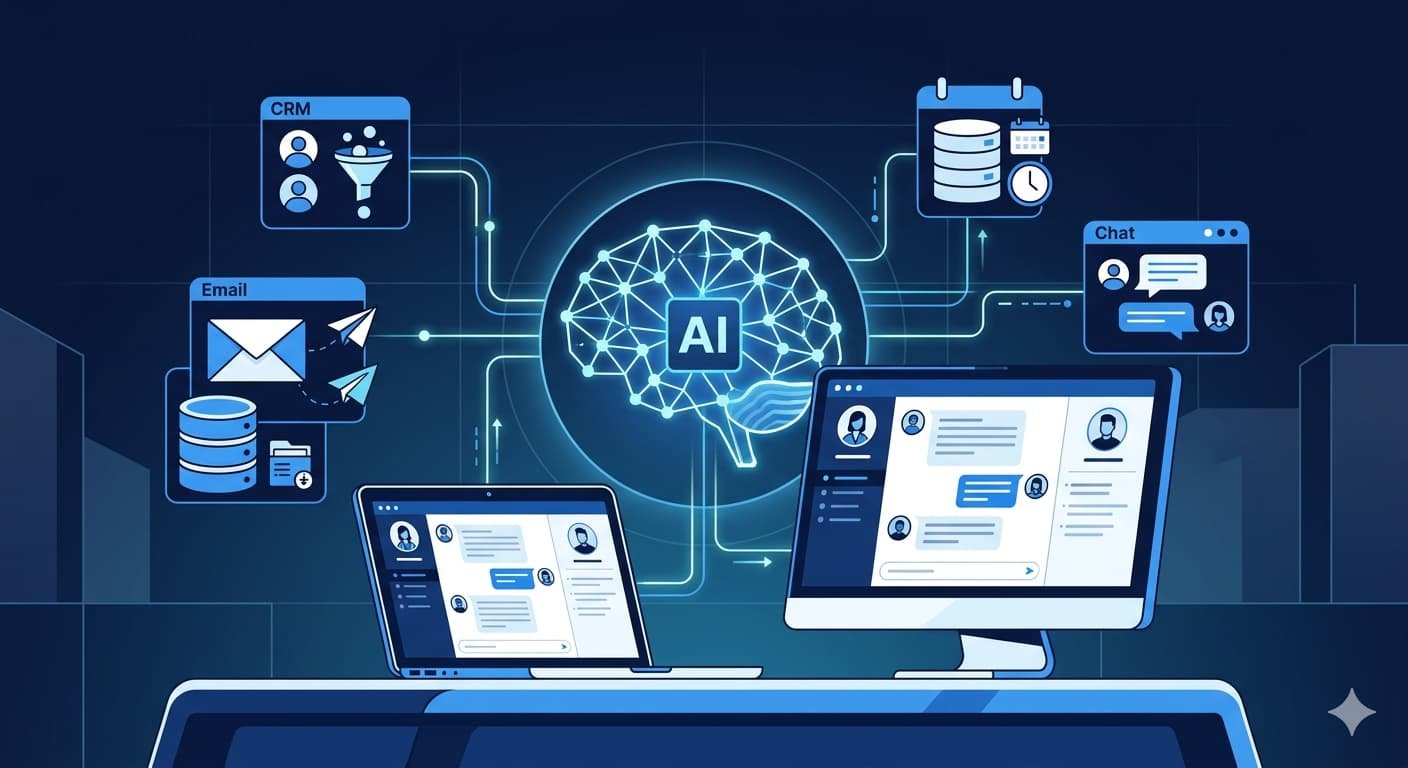
Before you start building, you need to understand what you're actually building. Every functional AI agent has four layers:
- Perception: The agent receives input — text, voice, data from an API, a database query, or a form submission.
- Reasoning: The underlying language model or logic engine processes that input and decides what to do next.
- Action: The agent takes action — sends an email, updates a record, calls an API, generates a document.
- Memory: The agent retains context across a session or across multiple interactions over time.
Most businesses researching how to build AI agent for business 2026 fail at the memory and action layers. They build something that reasons well but can't do anything useful. Keep that in mind as we go through the build process.
How to Build AI Agent for Business 2026: Step-by-Step
This is the part most guides skip over or keep vague. Let's walk through it the way the Capslock team actually approaches it with clients.
Step 1 — Define the Use Case Precisely
The biggest mistake businesses make is starting with "we want an AI agent" without defining what problem it's solving. Start here instead:
- What repetitive task is costing your team the most time right now?
- What decision gets made over and over using the same logic?
- Where are customers dropping off because they can't get a fast answer?
Here's a real example: a mid-sized US e-commerce brand approached us wanting "an AI agent for customer service." When we dug deeper, the actual problem was that 70% of their support tickets were order status queries — something that could be resolved in seconds with the right integration. That's the use case we built for first. The agent handled 1,200 tickets in its first week with zero human involvement.
The more specific your use case, the faster and cheaper your build. This is the first rule of how to build AI agent for business 2026 that actually delivers results.
Step 2 — Choose Your AI Model and Framework
Once your use case is defined, you need to pick the right foundation. In 2026, your main options look like this:
| Model / Framework | Best For | Complexity | Cost Range |
|---|---|---|---|
| OpenAI GPT-4o | General-purpose agents, language-heavy tasks | Low–Medium | Pay-per-token |
| Anthropic Claude 3.5+ | Long-context tasks, document processing | Low–Medium | Pay-per-token |
| Google Gemini 1.5 Pro | Multimodal agents, Google Workspace integration | Medium | Pay-per-token |
| LangChain + LLM | Multi-step agents with tool chains | Medium–High | Depends on LLM |
| AutoGen / CrewAI | Multi-agent systems, complex workflows | High | Infrastructure-dependent |
| Fine-tuned open-source (Llama 3) | Privacy-sensitive, on-premise deployments | Very High | Infrastructure + dev cost |
For most business use cases, starting with a managed API model (GPT-4o or Claude) sitting inside a LangChain or LlamaIndex framework gives you speed, flexibility, and manageable cost. Custom fine-tuned models make sense only when you have proprietary data and strict privacy requirements.
Step 3 — Connect Your Data Sources and Tools
An AI agent without data access is just a very expensive chatbot. This step is where your agent gets its power — and where most off-the-shelf tools fall short.
You need to connect your agent to:
- Your CRM (HubSpot, Salesforce, Zoho) — for customer context
- Your database or ERP — for product, inventory, or order data
- Your communication tools — email, Slack, WhatsApp
- External APIs — payment processors, shipping carriers, calendar systems
This is done through what the industry calls "tool use" or "function calling." You define a set of actions the agent is allowed to take, and it calls those functions when appropriate during a conversation or workflow.
"According to the Capslock Agency development team, the integration layer is consistently where 60–70% of AI agent project time is spent — not the AI itself. Businesses that underestimate this step almost always run into delays and budget overruns."
Here's a pro tip: document every data source your business uses before starting the build. A single missed integration — say, your billing system — can make an otherwise capable agent completely useless for the tasks that matter most.
Step 4 — Design the Agent's Decision Logic
This is the reasoning layer. You're defining how your agent thinks, not just what it knows.
There are two main patterns:
ReAct (Reason + Act): The agent reasons step by step, takes an action, observes the result, then reasons again. This is great for research tasks, multi-step customer queries, or anything requiring iterative problem-solving.
Plan-and-Execute: The agent generates a full plan upfront, then executes each step. Better for structured workflows with predictable paths.
For most business applications — support, sales qualification, internal automation — ReAct with guardrails is the pattern we recommend at Capslock. It's flexible enough to handle edge cases while still being controllable.
Step 5 — Build Your Memory Architecture
Memory is what separates a one-off responder from a genuinely useful business tool.
There are three types you need to plan for:
- In-session memory: What the agent remembers within a single conversation.
- Cross-session memory: What it retains about a user or account across multiple interactions.
- Organizational memory: Shared knowledge across teams — product documentation, policy updates, process guides.
For cross-session and organizational memory, vector databases (Pinecone, Weaviate, Chroma) are your best friend. You store knowledge as embeddings and retrieve the most relevant chunks when the agent needs them. This is called Retrieval-Augmented Generation, or RAG — and it's the reason modern agents can answer questions about your specific business without you having to fine-tune a model.
Step 6 — Test, Evaluate, and Iterate
Here's where a lot of builds go wrong: they ship too early. A poorly tested AI agent doesn't just fail silently — it fails in front of your customers.
Run your agent through:
- Happy path testing: Does it complete the task it was designed for, correctly, every time?
- Edge case testing: What happens with ambiguous inputs, missing data, or unexpected questions?
- Adversarial testing: Can users manipulate it into doing things it shouldn't?
- Performance testing: How does it behave under load — 10 simultaneous users vs. 1,000?
Set a benchmark before you launch. Define what "good" looks like — task completion rate, escalation rate, average handling time — and measure against it weekly.
Step 7 — Deploy, Monitor, and Maintain
Deployment isn't the finish line — it's where knowing how to build AI agent for business 2026 properly really pays off. For a live agent, launch is more like the starting gun.
Plan for ongoing:
- Model updates — as foundation models improve, your agent should too
- Knowledge base updates — your products, policies, and processes change
- Monitoring for drift — when an agent starts giving subtly wrong answers over time
- User feedback loops — real conversations will reveal gaps no test could predict
The best builds the Capslock team has delivered are the ones where clients treat the agent as a living product, not a one-time project.
How Much Does It Cost to Build a Custom AI Agent in 2026?
Let's talk numbers. Build costs vary widely based on complexity, integrations, and whether you're building in-house or working with an AI agent development services partner.
| Agent Type | Typical Build Cost | Timeline |
|---|---|---|
| Simple chatbot with 1–2 integrations | $3,000–$8,000 | 3–5 weeks |
| Department-level AI agent (support, HR, sales) | $10,000–$35,000 | 6–12 weeks |
| Multi-agent system with custom workflows | $40,000–$100,000+ | 3–6 months |
| Enterprise-grade with fine-tuning + RAG | $80,000–$200,000+ | 6–12 months |
Ongoing costs include API usage (typically $100–$2,000/month depending on volume), hosting, and maintenance. For most small to mid-size businesses in the USA, a well-scoped department agent runs $15,000–$40,000 all-in for year one.
"According to Capslock Agency's project data, businesses that invest in a properly scoped and integrated AI agent see an average of 30–45% reduction in the operational costs of the function the agent is handling within the first 90 days of deployment."
Build vs. Buy vs. Partner — Which Path Is Right for You?
You have three realistic options when it comes to AI agent development:
Build in-house: Only viable if you have ML engineers, backend developers, and DevOps capacity in-house. Great for control and long-term flexibility. High upfront investment in talent and time.
Use a no-code/low-code platform: Tools like Botpress, Voiceflow, or Make (formerly Integromat) let non-developers build basic agents. Works for simple use cases. Hits a ceiling fast when you need custom integrations or complex logic.
Partner with a specialized agency: The fastest path to a production-grade agent with real integrations. You get senior engineering time without the overhead of full-time hires. The right partner also brings experience from previous builds — avoiding the mistakes that kill timelines.
If you're evaluating whether to build custom AI agents for your business in the USA, the honest answer is: the right choice depends on what you're building. For anything involving sensitive data, complex workflows, or customer-facing interactions at scale, partnering with a team that's done it before is almost always faster and cheaper in the long run.
You can also explore AI cloud solutions for business to understand how cloud infrastructure fits into your AI agent deployment strategy.
Common Mistakes to Avoid When Building AI Agents
The Capslock team has seen these patterns across dozens of projects. Learn from other businesses' expensive mistakes:
- Skipping the use case definition phase and jumping straight to tools
- Underestimating the integration effort — your agent is only as good as the data it can access
- Not defining escalation paths — some situations should go to a human
- Launching without a feedback loop — you won't know what's broken until users tell you
- Treating it as a one-time project — agents need maintenance, monitoring, and iteration
"The Capslock team consistently finds that AI agent projects that fail do so not because the AI technology wasn't capable enough — but because the business problem wasn't defined clearly enough before a single line of code was written."
Conclusion
Learning how to build an AI agent for your business in 2026 comes down to one thing: being specific about the problem before you're specific about the solution. The technology is genuinely capable of transforming how your business operates — but only if you approach how to build AI agent for business 2026 with a clear use case, clean integrations, and a commitment to ongoing improvement.
The Capslock Agency team has helped businesses across the USA and internationally design, build, and deploy custom AI agents that handle real operational loads. We don't sell generic chatbots. We build agents that are scoped, integrated, tested, and maintained — so they actually deliver the ROI you're expecting.
Whether you're exploring how to build AI agent for business 2026 for the first time or ready to scale an existing one, the right first step is a conversation about your specific workflow.
Frequently Asked Questions
What does an AI agent do that a regular chatbot can't?
One of the most common questions from businesses researching how to build AI agent for business 2026 is how agents differ from chatbots. A regular chatbot follows pre-set rules and scripts. An AI agent can reason about a situation, take multi-step actions, connect to live data systems, and adapt its responses based on context. An agent can update a CRM record, process a refund, or escalate a ticket — a chatbot can only suggest that someone else does those things.
How long does it take to build a custom AI agent?
Timeline depends on scope. A focused single-department agent typically takes 6–12 weeks from kick-off to launch. More complex multi-agent systems with extensive integrations can run 3–6 months. The use case definition and integration mapping phases have the biggest impact on timeline.
Do I need to fine-tune a model to build an AI agent?
No — and for most business use cases, you shouldn't. Fine-tuning is expensive, time-consuming, and usually unnecessary when you have proper RAG (Retrieval-Augmented Generation) architecture in place. Fine-tuning makes sense when you need the model to behave differently at a fundamental level, not just when you want it to know more about your business.
What's the difference between AI agent development services and buying an off-the-shelf tool?
Off-the-shelf AI tools are pre-built for generic use cases. They work well for simple scenarios but hit hard limits when your workflows are complex or your data lives in custom systems. Professional AI agent development services build to your exact specifications — your data, your integrations, your logic.
Is building an AI agent worth it for small businesses?
Yes — if the use case is right. A small business handling 200+ repetitive customer queries a week, or running a sales team that manually qualifies leads, can see significant ROI from even a focused, well-scoped agent. You can explore AI marketing vs traditional marketing ROI to understand how AI investment compares overall. The key is starting small and specific, then expanding.
Ready to Build Your Business AI Agent?
Capslock Agency specializes in designing and deploying custom AI agents for businesses across the USA and globally. From use case scoping to production deployment and ongoing maintenance, our team handles the full build — so you get a working agent, not a prototype.
Our AI agent development services include:
- AI agent strategy and use case definition
- Custom AI agent design and architecture
- LLM selection and integration (GPT-4o, Claude, Gemini)
- CRM, ERP, and third-party API integrations
- RAG knowledge base setup and vector database configuration
- Deployment, monitoring, and ongoing maintenance
We work with startups, growing SMBs, and enterprise teams who need AI that actually works in their real environment — not just in a demo.
Book a free consultation — tell us your use case and we'll map out exactly what it would take to build it.
📧 hi@capslockagency.com | 🌐 capslockagency.com | WhatsApp | 📞 US: +1 530 819 7542